Speedway SIGN
Turn almost any screen into a connected experience.
Speedway SIGN is device-agnostic by design. Manage menus, promotions, wayfinding, guest information, live status boards and scheduled content from Speedway Central, then run them on compatible smart TVs and displays, Android TV or Google TV devices, Android STBs/signage players, browser kiosks, PCs and installable web/PWA endpoints.
Choose the screen, not the ecosystem
SIGN is built to work across the screens you already own.
Use a compatible smart TV or display, Android TV/Google TV device, Android set-top box, signage player, browser kiosk, PC, tablet or other smart device with a supported browser or Android runtime. Pair it once, then manage content, layouts and schedules centrally in Speedway Central.
Android app status: the native SIGN player is in controlled Google Play testing for approved accounts. You do not need to wait for a public Play Store release to use SIGN on supported browser/PWA endpoints.
ANDROID / ANDROID TV / STBJoin the SIGN player testApproved testers can install the native player for
SMART TV / DISPLAYUse the screen you already haveAny compatible smart screen or smart device with a supported modern browser can run SIGN as a managed web display.No proprietary display hardware required
WEB / PWA / KIOSKNo Android-only dependencyBrowser kiosks, PCs, tablets and installable PWA endpoints are first-class SIGN targets, with the same Central pairing and content controls.Device agnostic
global.speedway.sign through Google Play.Open tester access →
Built for the screen estate
One publishing system. Many display jobs.
From a single menu screen to a lobby wall or multi-zone information display, SIGN keeps content, scheduling and operating context inside one managed Speedway workflow.
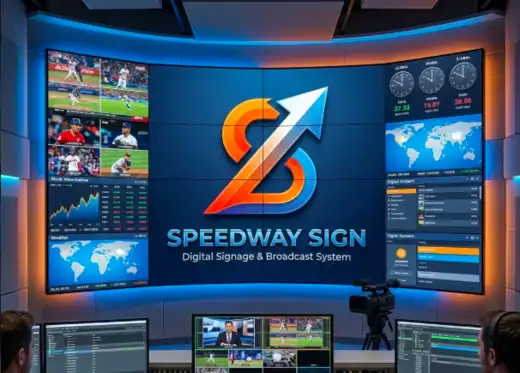
Multi-panel broadcast & signageCampaigns, live information, video and branded content in one coordinated canvas.
Large format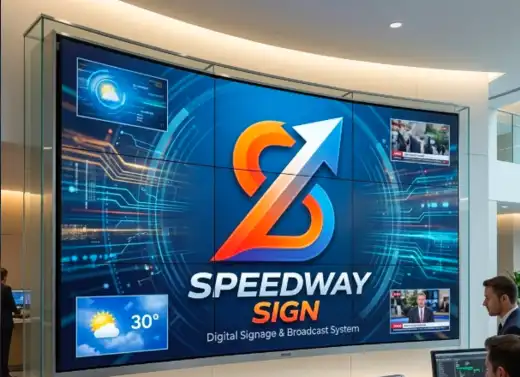
Lobby & public informationGuest information, promotions, weather, live feeds and operational boards across different screens.
FlexibleWhat SIGN can run
One screen platform, without proprietary screen hardware.
SIGN is designed for customer, guest and operational displays across mixed device estates. Start with the communication job you need and the hardware you already have, rather than a fixed template or proprietary player bundle.
Publish menus, featured products, campaigns, daily specials and promotional creative across customer-facing screens.
Use screens for property information, events, venue hours, guest guidance and wayfinding alongside Speedway STAY and other hospitality workflows.
Present approved order, service, queue or operational status information where a live information view improves the customer or team experience.
Guide guests, visitors, customers or staff across properties, venues and multi-area operating sites.
Control playlists, schedules and dayparts so content changes automatically by location, time or operating context.
Use managed displays for controlled business information and live data bindings where the connected source has been approved.
Connected experiences
SIGN becomes more useful when it knows what the operation is doing.
Speedway SIGN is part of the wider operating ecosystem rather than a separate media island. Connected uses can be added where the underlying workflow and data authority are enabled.
Coordinate hospitality displays, guest information, property events and wayfinding with the operating context around a Speedway STAY deployment.
Use digital menus, promotions and approved status experiences alongside POS, POO, KDS/SDS, CDS and BOH.
Connect approved external data sources through governed integrations rather than embedding uncontrolled data access into a screen.
Keep display configuration, locations, schedules and publication controls in the business administration model used across Speedway.
Commercial model
Price SIGN from the live Speedway catalogue.
SIGN is sold around managed locations and active display capacity. Current list pricing, included display capacity and additional-display terms are published in Products & Pricing so this product page does not become a stale second price list.
Rollout
Plan the screens, content jobs and operating connections together.
A good SIGN rollout starts with where screens live, what each screen is meant to communicate, when content changes and which live information sources are actually required.
Identify venues, properties or sites that need independently managed content and governance.
Size simultaneously active endpoints and identify the mix you already have: smart TVs/displays, Android TV or Google TV, Android STBs/signage players, browsers, kiosks, PCs or PWA-capable devices.
Separate menus, campaigns, wayfinding, guest information and live operational boards so the initial content model is clear.
Add Integration Hub, STAY, venue or other data connections where they improve the screen experience and have a governed source.
Speedway SIGN
Plan one screen or a multi-location digital signage estate.
Use the Solution Builder for combined Speedway deployments, or start a SIGN-specific onboarding path.